Arma Reforger server mods Beta
Arma Reforger mod manager for dedicated servers
Build the mod list of your Arma Reforger server in the browser. Search the Workshop, pin versions, check dependencies and save the list as a pack.
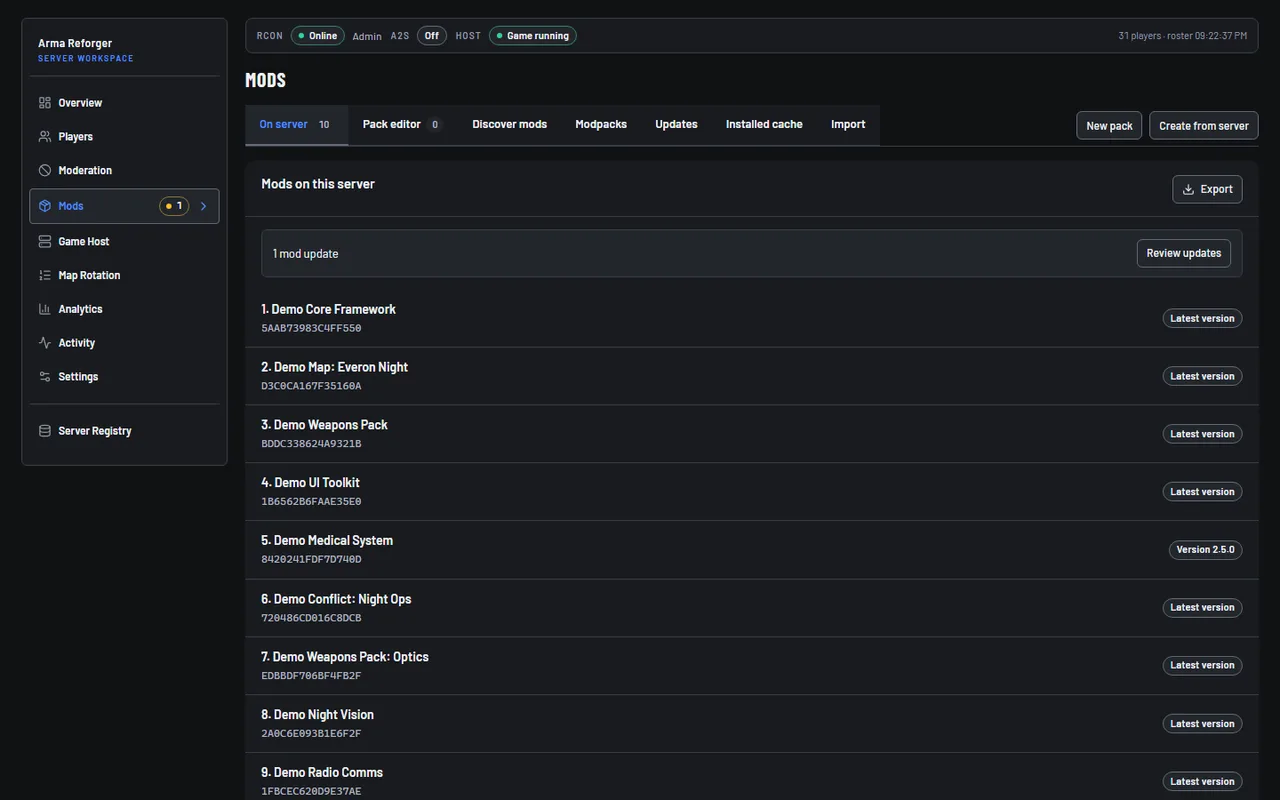
What the mod manager does
Workshop search
Search Workshop mods by name. Sort by popular or recently updated, and see the version history of each mod.
Version pins
Pin a mod to one version, or let it take the latest version at each launch.
Load order
Move each mod up or down in the list.
Dependency checks
Find the mods that your mods need and add them to the pack.
Mod packs
Save up to 300 mods as a pack. Keep packs in one community library and send a pack to several stopped servers.
Installed cache
See which installed mods differ from your pins. Download a mod again, or set a bad copy aside.
Import
Paste mod IDs, links, a config block, JSON or CSV. Import a collection with its dependencies.
WarGuardian checks the dependencies and versions that the Workshop declares. The game itself confirms that mods work together when it starts.
What needs the WarGuardian Agent?
The WarGuardian Agent runs on the Linux machine that hosts your Arma Reforger server. With it, WarGuardian changes the mods on the server for you.
- With the agent: stage a mod list on the server, check for mod updates and manage the installed cache.
- Without the agent: search mods, import a collection and edit packs. WarGuardian gives you the mods block to paste into your hosting panel.
- Mod changes are staged while the game is stopped. Staging shows moved mods, version pins and the download size first.
- Install the WarGuardian AgentConnect a Linux or Windows game host that keeps its RCON port closed.
Go back to a list that worked
Recent launches keeps the mod list of the last 5 server starts. Restore one when an update breaks the server.
Each pack keeps its revision history. You can duplicate a pack, export it and import it again.
Moving from another Reforger panel
Import a Reforger Host archive, modpacks or a server configuration from another tool. WarGuardian shows what it imports and what it leaves out before anything changes.
You can also copy the mod list of a live server from its public listing.
Arma 3 and DayZ mods
Arma 3 and DayZ servers use the same mod search, with Steam Workshop mods.
- Set the load order, and load each mod as a client mod or a server mod.
- Adding a mod also adds the mods that it requires.
- Save mod packs, and import Workshop links or an Arma 3 Launcher preset.
- The WarGuardian Agent downloads the mods with SteamCMD and copies their keys to the server.
- Apply the list and restart the server in one step. Revert to previous mods restores the last list.
Arma 3 and DayZ mod changes need the WarGuardian Agent on the game host. SteamCMD must be signed in to a Steam account that owns the game.
Common questions
Does WarGuardian check that my mods work together?
It checks the declared dependencies and version pins from Workshop metadata. The game itself confirms compatibility when it starts.
Can I use the mod manager on a rented server?
Yes, without the agent you can search, import and edit packs. Then you paste the mods block into the panel of your host.
Does the agent for Arma Reforger run on Windows?
No, Arma Reforger host control and mod staging need the agent on a Linux host.
How much does it cost?
Your first server is free. See WarGuardian pricing for the current community plans.
Run your community with WarGuardian
Connect one server free. Then invite your staff.