Tickets and appeals
Player reports, tickets and ban appeals
Give your players one link to report an incident or appeal a ban. Your staff answer in one inbox, next to the player’s history.
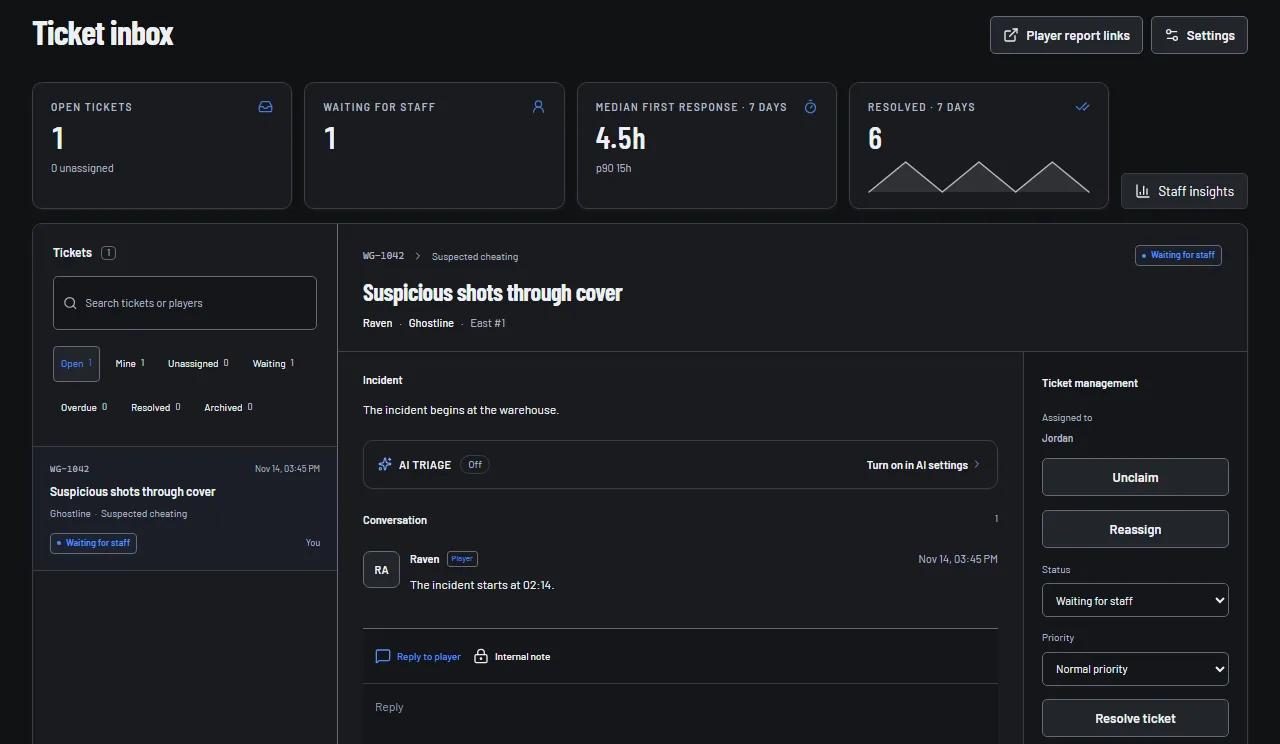
A ticket inbox for your staff
One report link
Copy one link for your community, or a link for each server. The player picks the server and signs in with Steam.
Claim and assign
A staff member claims a ticket, or assigns it to a colleague. Roles and server access decide who sees each report.
Replies and private notes
Reply to the reporter. Keep internal notes that only staff can read.
Outcomes
Resolve each ticket with an outcome, so the record shows what staff decided.
Archive
Move a ticket out of the open queues. Its messages and evidence stay readable, and a player reply brings it back.
Discord alerts
Send new tickets to a staff channel in your Discord server.
How a player files a report
- The player opens your report link.
- They choose the server of the incident and sign in with Steam.
- They describe what happened. They can add the Steam IDs or profile links of the players involved.
- The ticket opens in your inbox, with a link to the reporter’s player history.
- Staff can link several reported players to one ticket and open each profile.
- Reported players get no notification and cannot see the report.
- A player can file up to 4 reports for one community in 24 hours.
Ban appeals
A banned player signs in with Steam on your public pages and sees their bans. They write an appeal, and it opens as a ticket.
- Staff answer with Lift ban or Keep ban.
- A player has one open appeal at a time.
- After staff keep a ban, the player can appeal again after 30 days.
- You can add a short appeal message to new ban reasons, so a banned player knows where to go.
Ban appeals are off until you turn them on. Only staff decide an appeal, never an automatic rule.
Tools for a busy inbox
- Macros hold the replies that you send often.
- Saved views keep your filters.
- Follow-up rules and an overdue filter show the tickets that wait too long.
Common questions
Do players need a WarGuardian account?
No, players sign in with Steam. Staff sign in with their own staff account.
Can a reported player see the report?
No, links to reported players stay private to staff. The reported players get no notification.
Can I use my own domain for reports?
Yes, with white label a hostname can open your player tickets and reporting page.
How much does it cost?
Your first server is free. See WarGuardian pricing for the current community plans.
Run your community with WarGuardian
Connect one server free. Then invite your staff.